
Home Maintenance Reminder App
Never miss a filter change, a gutter clean or a smoke-alarm test. ecohome suggests a schedule for your home, the things in it and where you live, reminds you a week ahead and on the day, and keeps a record of when each job was done. Free on iPhone and Android.

How maintenance reminders work
Home upkeep slips because nobody remembers when the filter was last changed. ecohome remembers for you.
Start from suggestions
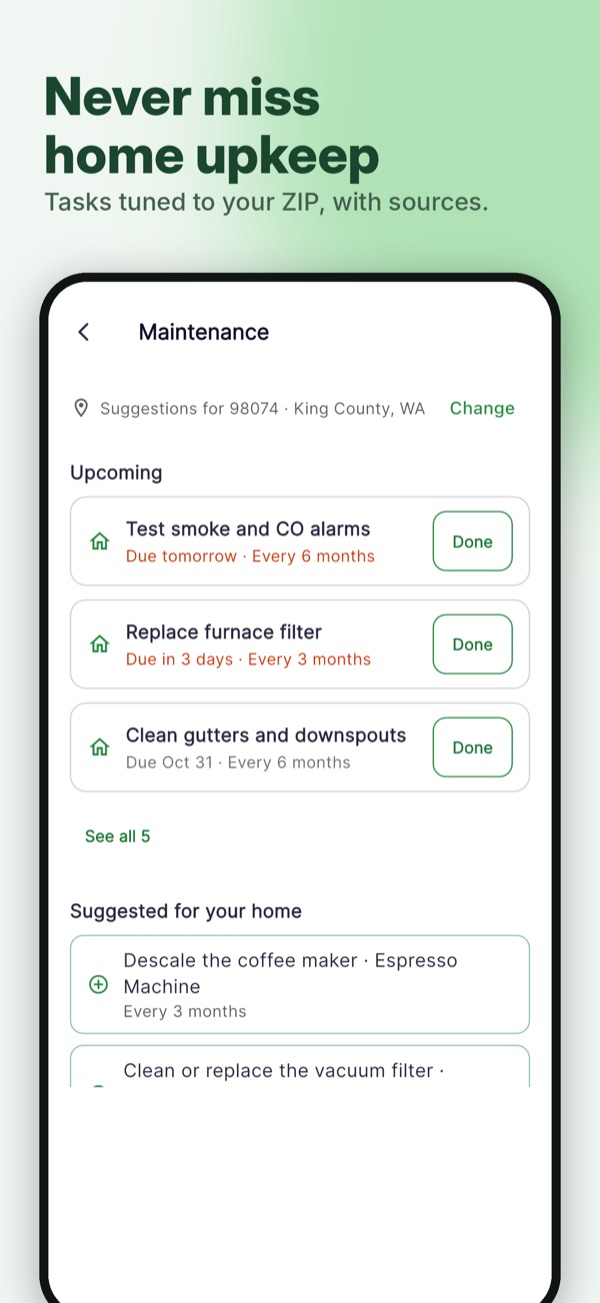
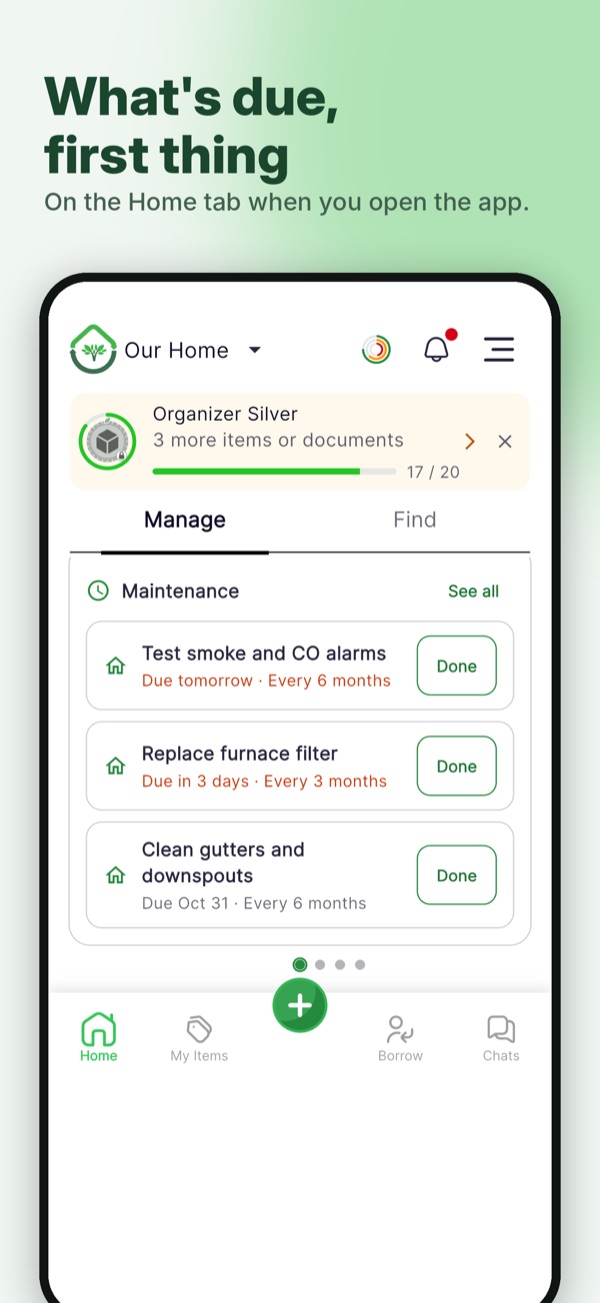
ecohome suggests common jobs for your home, like the HVAC filter, gutters, smoke and CO alarms, the dryer vent, the roof and window seals. Open an item you have added and it suggests jobs for that kind of item too.
Make the schedule yours
Change how often a job repeats, in days, weeks, months or years. Pick the next due date, add notes such as the filter size or who to call, or add a task of your own.
Get reminded, mark it done
A push notification and a reminder in your Activity feed arrive a week before a task is due and again on the day. Mark it done, even for a date that has passed, and ecohome sets the next due date from when you actually did it.
See it in the app
A schedule for the whole home
Add the jobs every home needs with one tap, then adjust them to fit your house.
- Replace the HVAC air filter every 3 months
- Have heating and cooling serviced every year
- Test smoke and carbon monoxide alarms every month
- Clean the gutters every 6 months
- Flush the water heater every year
And for the things in it
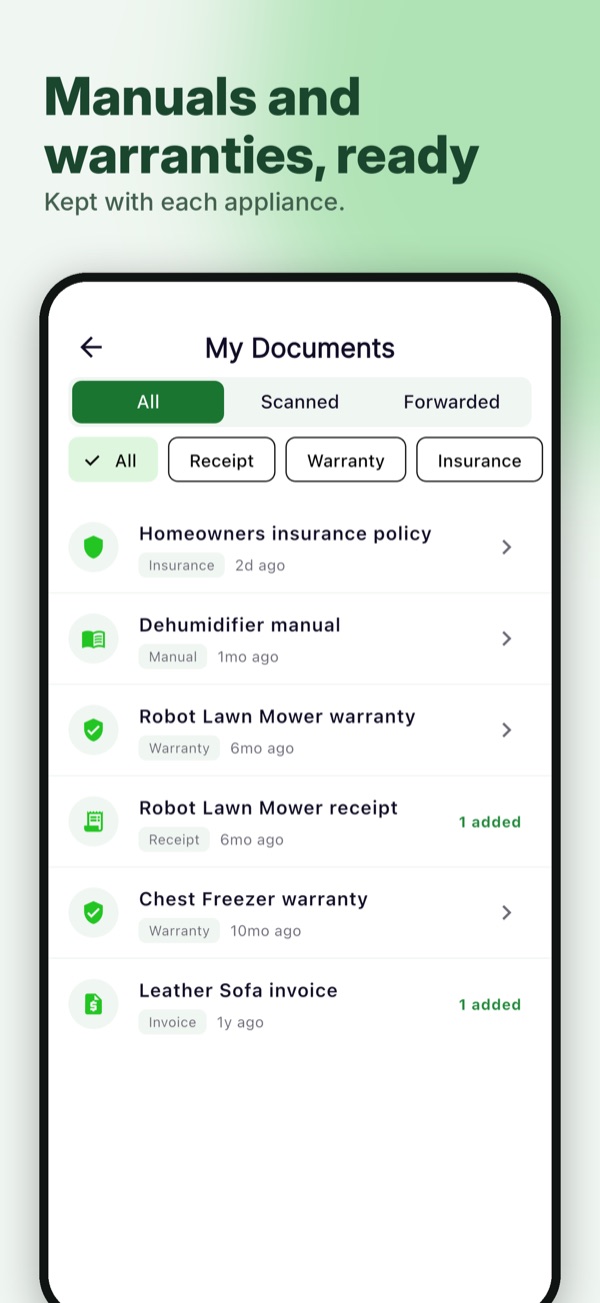
Maintenance lives with the item it belongs to, next to its receipt, warranty and manual.
- Suggestions matched to what the item is
- Each item shows its tasks and when they are due
- Reminders name the item, so you know exactly what needs attention
- Everyone in your household sees the same tasks
Suggestions for where you live
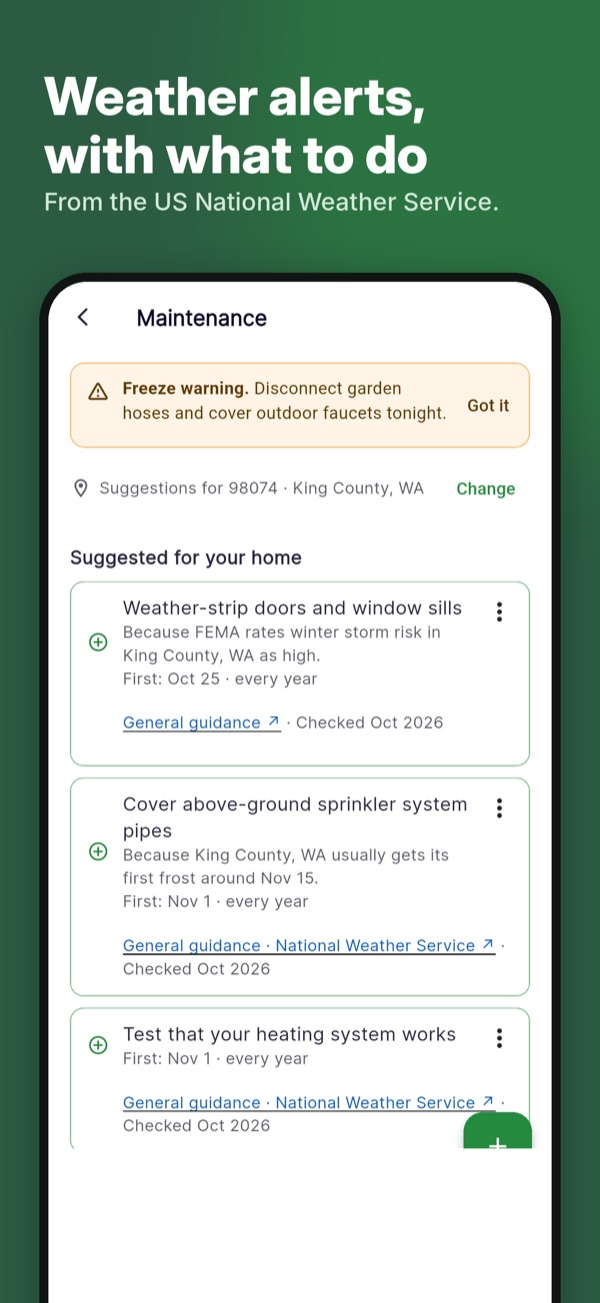
Add your ZIP code (or PIN code in India) and ecohome fits its suggestions to your area.
- Jobs that suit your local climate
- A heads-up when weather alerts are coming, so you can get ahead of them
- Local rules from your city or county that may apply to your home, each with a link to the official source
- Tell ecohome whether you own or rent, and jobs that are usually the landlord’s are marked that way
Local rules are gathered automatically and may contain mistakes. Always check the official source before you act.
Part of your home inventory
Maintenance reminders sit alongside everything else ecohome keeps for your home: what you own, what you paid, receipts and warranties. Finished jobs also count toward your badges.
See all features Warranty and receipt tracker Compare home inventory apps
Questions about maintenance reminders
Is it free?
Yes. Maintenance reminders are part of ecohome, which is free on iPhone and Android with no credit card.
When do reminders arrive?
A week before a task is due and again on the due date. Tasks that repeat every week or more often get the due-day reminder only. Reminders appear in the app’s Activity, and as a notification when notifications are allowed.
Can I change the suggested schedule?
Yes. Every suggestion can be edited: how often it repeats, the next due date and notes. You can also remove a task or add your own.
What if I did the job late, or early?
Mark it done with the date you actually did it. The next due date is counted from that date.
Can my family see the tasks?
Yes. Tasks belong to the household, so everyone in it sees the same list and the same due dates.
Which version of the app do I need?
Maintenance reminders are in ecohome 1.10.53 on iPhone and 1.1.101 on Android, and later. Suggestions for where you live need 1.10.54 on iPhone or 1.1.102 on Android, or later. Update the app if you do not see Maintenance on the Home screen.
Does ecohome use my location?
If you add your ZIP or PIN code, ecohome uses it to suggest jobs for your local climate, give you a heads-up about weather alerts and point to local rules, with links to the official source.
I rent. Is it still useful?
Yes. Tell ecohome you rent, and jobs that are usually the landlord’s are marked that way.
More answers in our help center.
Stay ahead of home maintenance
Free on iPhone and Android. No credit card.