Lend, rent or sell household items from one free app
ecohome keeps track of what you own, so you can lend household items to people you know, rent them out by the day, week or month, or sell what you no longer use to people nearby. You always know who has what.

Three ways to lend, rent or sell household items
Start from your home inventory. Items you’ve added already have photos and details, so listing one takes a few taps.
Lend to people you know
Lend tools, gear and gadgets to friends, family and neighbors. Requests, dates and return reminders live in the app, so you always know who has the ladder.
Visible only to people you chooseRent out your stuff
List an item for rent by the day, week or month. Renters pick their dates and see the total before they send a request. You approve it and mark it paid when you settle up.
Visible to ecohome users near youSell what you no longer use
List items for sale straight from your inventory, with the photos and details you already added.
Visible to ecohome users near youWhere to find it in the app
Everything starts from an item in My Items.
Share an item
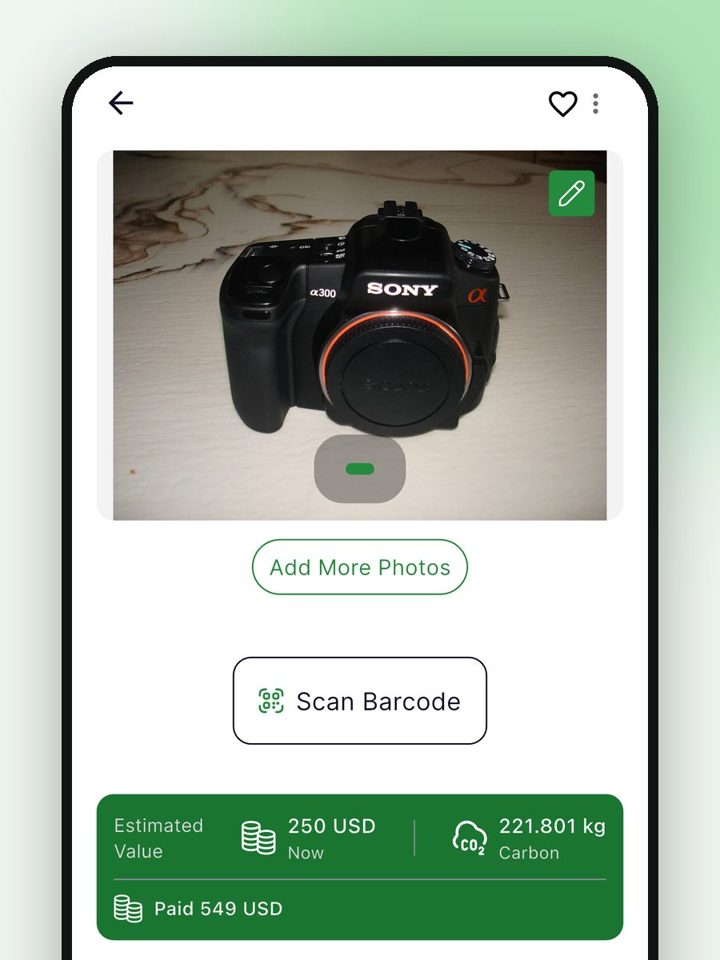
1. Open an item
Tap any item in My Items. Its photo and details are already there.
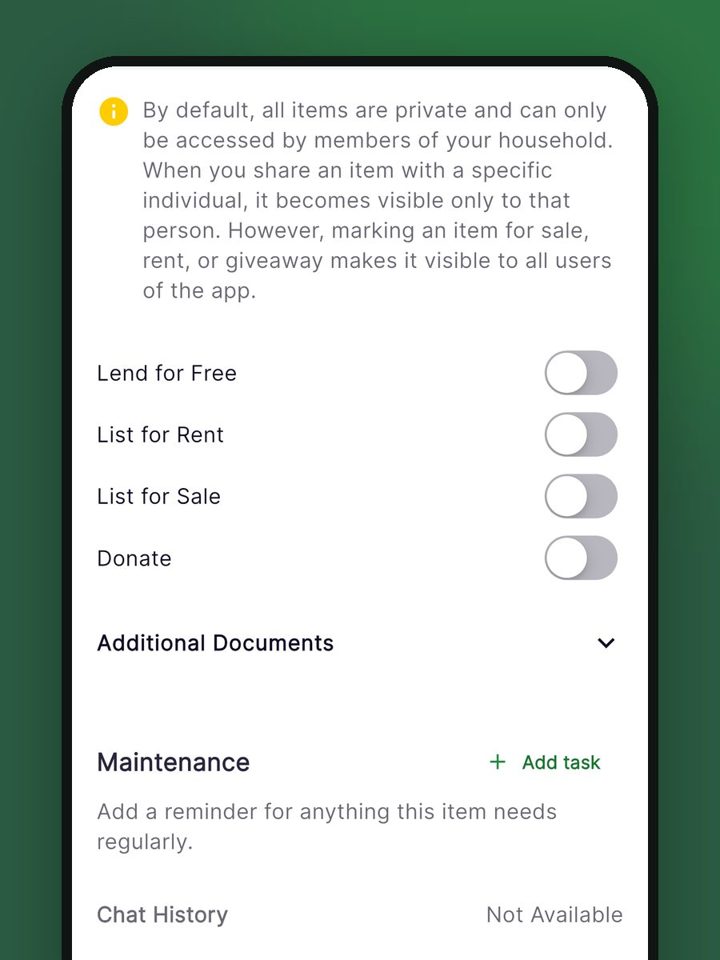
2. Choose how to share
Turn on Lend for Free, List for Rent, List for Sale or Donate.
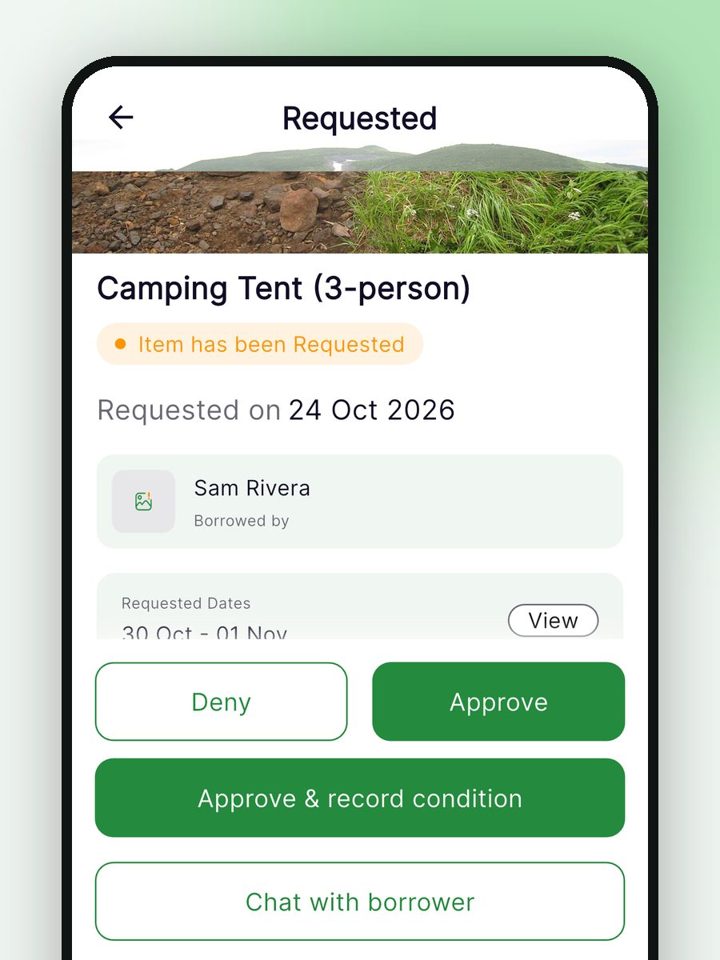
3. Approve or decline
Requests appear under Review Requests. Approve, decline, or approve and record the item’s condition.
Borrow or rent from people you know
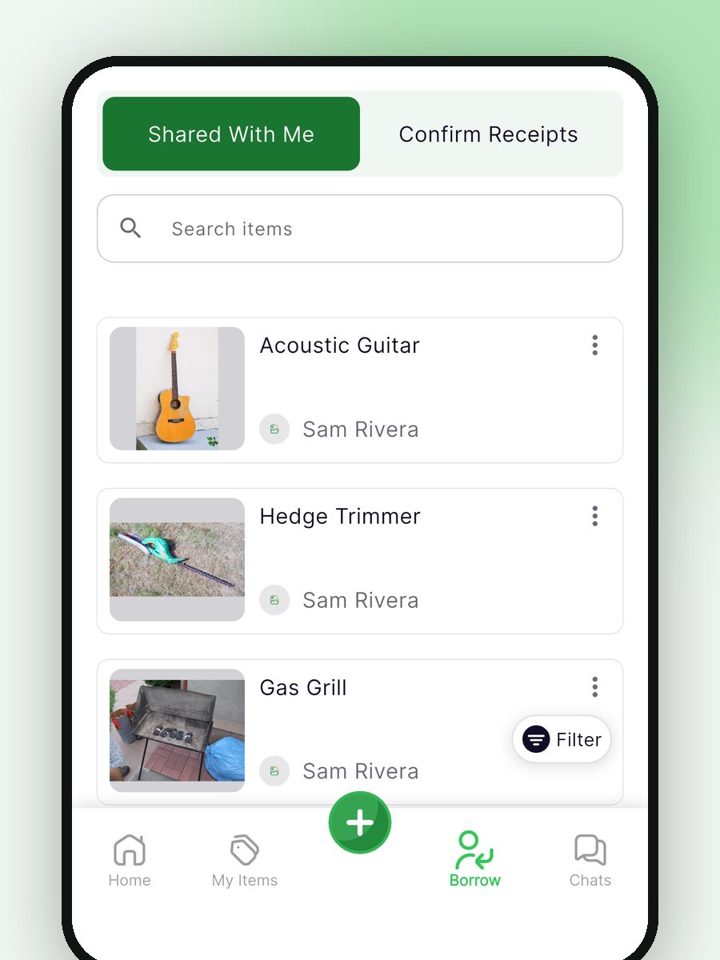
4. See what’s shared with you
Items friends and neighbors share with you show up under Borrow.
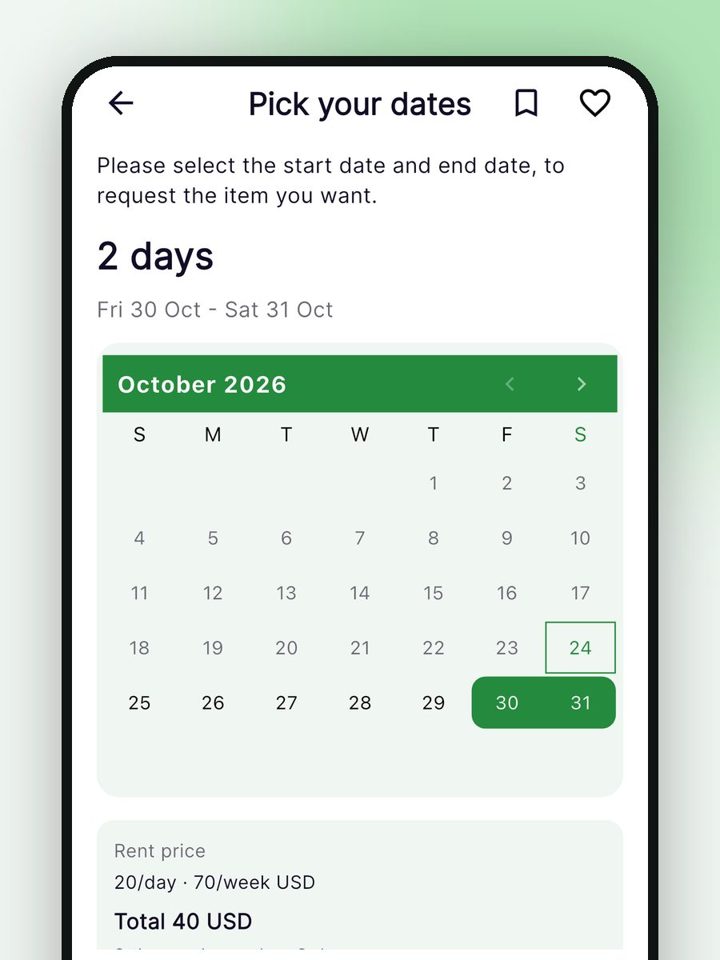
5. Pick dates, see the total
Choose your dates and see the rental total before you send a request.
Swipe to see each step →
You stay in control of your stuff
- Nothing goes out without your OK. You approve or decline every request.
- Record the item’s condition, with photos, when you hand it over and when it comes back.
- If something comes back damaged, or doesn’t come back, you can report it on the loan.
- Borrowers get reminders before the return date.
- A borrower can ask for more time. You decide whether to extend.
- For rentals, you and the renter settle payment between yourselves. ecohome keeps the dates, the total and whether it’s been paid.
Donating household items
Every item has a Donate switch, so you can mark the things you’re ready to give away. We haven’t onboarded any nonprofits yet, so for now a marked item just stays marked in your inventory. That still gives you a ready list when you drop things off yourself. When nonprofit partners join, we’ll say so here.
Before you buy something new, check your inventory first. It helps you stop buying what you already own.
Built for the whole household
- Invite household members at no cost. Everyone works from the same inventory, receipts and documents.
- Earn badges for sharing and reuse, with Bronze, Silver and Gold levels.
Schools, clubs and businesses
Run a lending library for your members, with one set of lending rules. Talk to us about organizations.
Common questions
Is ecohome free?
Yes. ecohome is free on iPhone, Android and the web, with no credit card. Household members join free too.
Who can see the items I share?
Items you lend are visible only to the people you choose. Items you list for rent or sale are visible to ecohome users near you.
Does ecohome process rental payments?
No. Renters see the total for their dates before they send a request. You settle up between yourselves, then mark the rental as paid in the app.
Can I rent out items by the week or month?
Yes. You can set a daily, weekly or monthly price, and renters pick their dates.
What if an item comes back damaged?
Record the condition with photos at handover and at return, so there’s a record both of you can see. If something comes back damaged or doesn’t come back, you can report it on the loan.
Can I donate items through ecohome?
You can mark items with the Donate switch. No nonprofits are onboarded yet, so marked items stay on your list until partners join.
Can my family share one inventory?
Yes. Household members join free and work from the same inventory.
Does it work on a computer?
Yes. Sign in at web.ecohome.one with the same account you use in the app.
More answers in our help center, or see every ecohome feature.
Put the things you own to work
Free on iPhone, Android and the web. No credit card.
Or open web.ecohome.one in your browser.